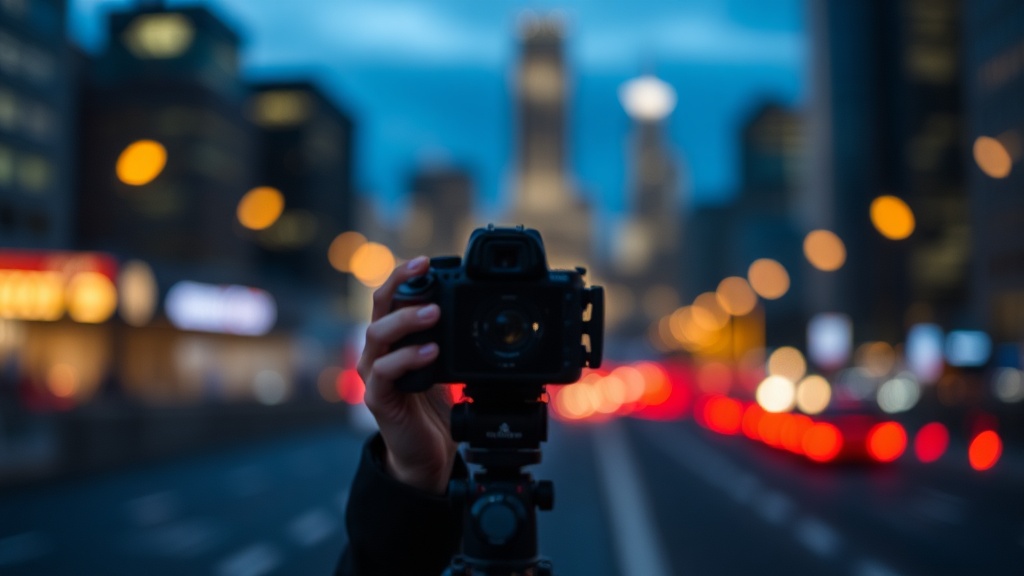
Fixing Blurry Backgrounds and Shallow Depth of Field Issues

Most people think that a blurry background is just a matter of buying a more expensive lens. They assume that if they can't get that creamy, out-of-focus look, it's because their gear is lacking. That's a mistake. A blurry background—or shallow depth of field—isn't just a product of high-end glass; it's a result of how you manipulate specific physical properties of your camera and your environment. Understanding the relationship between aperture, focal length, and subject distance is what actually separates a snapshot from a professional-looking portrait.
If you've ever shot a portrait and found the background looks too sharp or distracting, you aren't necessarily stuck with your current kit. You just haven't learned how to control the depth of field variables yet. This guide breaks down the mechanics of background separation so you can stop relying on expensive gear and start relying on your settings.
How do I get a blurrier background with my current lens?
The most direct way to achieve a shallow depth of field is by adjusting your aperture. In your camera settings, you'll see the f-stop number. A lower number, like f/1.8 or f/2.8, means the aperture is wide open. This lets in more light and creates a much shallower depth of field. If you're shooting with a kit lens that only goes down to f/5.6 at certain focal lengths, you'll have to work harder with other variables to get that same effect.
Think of it this way: a wide aperture makes the plane of focus very thin. If you're shooting at f/1.8, the area in focus might only be a fraction of an inch deep. This is why your focus must be perfect. If you miss the eye by even a centimeter, the whole shot is ruined. This is why many photographers prefer a slightly higher f-stop (like f/4) for portraits to ensure the entire face stays sharp while the background still falls off into a soft blur.
Another way to trick your lens into producing more blur is to increase your focal length. This is why telephoto lenses are so popular for sports and wildlife. A 200mm lens will naturally compress the background and make it look much more out of focus than a 35mm lens, even if they have the same aperture. This compression effect is a physical property of how lenses project images onto a sensor, and it's a powerful tool in your kit.
Why does my background look too sharp in portraits?
If your background looks busy or distracting, you're likely dealing with a distance issue. There are two specific distances you need to manage: the distance between your lens and your subject, and the distance between your subject and the background. If your subject is standing right against a wall, that wall will be in sharp focus regardless of your aperture settings. You need to create physical space.
Move your subject away from the background. If you're shooting a portrait in a park, don't have them stand two feet behind a bush. Have them stand twenty feet away from the bushes. The more distance there is between the subject and the background, the more the light rays will diverge, resulting in a much softer, more unnoticeable backdrop. This is a simple trick that works even with basic lenses.
- Increase subject-to-background distance: Move the person further away from the wall/trees.
- Decrease lens-to-subject distance: Get closer to your subject (if your lens allows it).
- Use a longer focal length: Zoom in or switch to a telephoto lens.
It's also worth noting that the size of your sensor plays a role. A full-frame camera will naturally produce a shallower depth of field than an APS-C or Micro Four Thirds sensor at the same focal length. However, don't let this discourage you. You can compensate for a smaller sensor by using longer lenses or by being more intentional with your positioning. Even with a smartphone, you can achieve a decent "bokeh" effect by focusing on a close-up subject with a distant background.
Can I fix a sharp background in post-processing?
While you can't truly "undo" a sharp background to make it look like it was shot at f/1.8, you can use software to mimic the effect. Modern editing tools have become quite sophisticated. If you find yourself with a shot where the background is too distracting, you can use artificial blur techniques. However, be careful—if you overdo it, the edges around your subject will look jagged and fake.
In programs like Adobe Lightroom or Photoshop, you can use masking tools to select the subject and then apply a lens blur to the background. This is a digital workaround, but it's helpful to know when you're shooting in the field. If you're using a mobile device, many apps now use AI to identify the subject and apply a "Portrait Mode" effect. While these are great for social media, they often struggle with hair or transparent edges. For professional-grade work, it's always better to get it right in the camera.
If you want to learn more about how light behaves, the optics fundamentals can give you a deeper understanding of why lenses behave the way they do. Understanding the physics of light helps you make better decisions when you're actually holding the camera.
"The best way to control depth is to understand that it's a three-way tug-of-war between your aperture, your focal length, and your distance from the subject."
When you're out on a shoot, don't just look at your subject. Look behind them. Is there a bright light source or a distracting sign? Is the background too close? If the answer is yes, move your feet. A few steps to the left or right can change the entire mood of a photograph. You aren't just a button-pusher; you're a director of light and depth. Use that to your advantage.