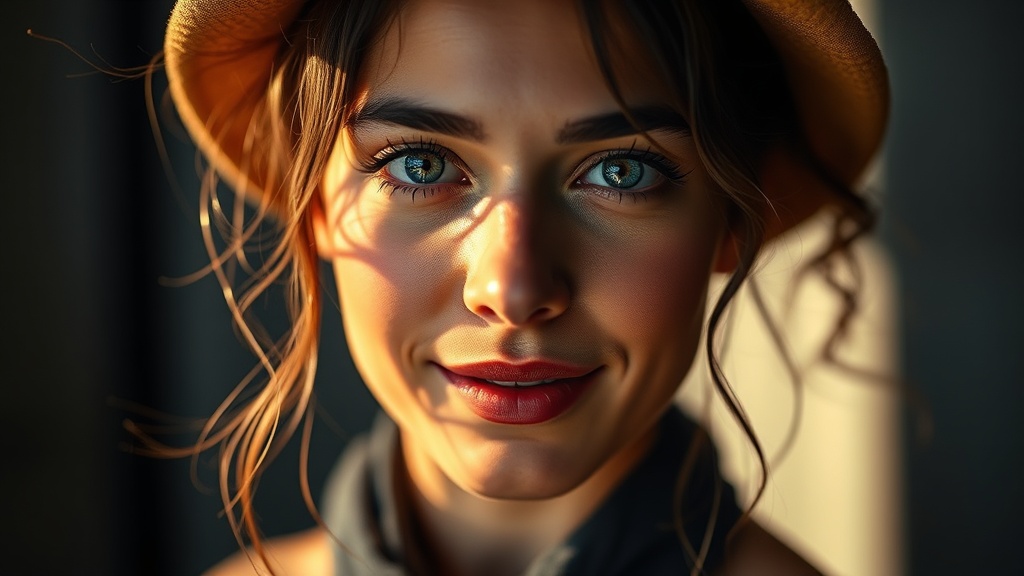
How to Balance Flash and Ambient Light for Natural-Looking Portraits

In this guide, you'll learn how to blend artificial flash with available light so your portraits look polished—not obviously lit. Whether you're shooting a client session at golden hour or battling harsh midday sun, mastering this balance separates amateur snapshots from professional work. You'll walk away with specific techniques for dialing in your exposure, modifying your light, and avoiding that dreaded "flash look."
Why Does My Flash Look So Harsh and Artificial?
The most common mistake photographers make is treating flash as the primary light source instead of a supplement. When your strobe overpowers the scene, you lose the depth and dimension that natural light provides. The result? Flat images that scream "I used a flash"—and not in a good way.
The fix starts with your mindset. Think of flash as a fill tool, not a takeover artist. Your goal is to lift shadows and add catchlights while preserving the existing light's character. This approach—sometimes called "fill flash" or "balanced flash"—keeps the mood of your location intact while solving exposure problems.
Here's the technical foundation: your camera sees ambient light through shutter speed and ISO, but flash output is controlled primarily by aperture and flash power. Understanding this separation is what allows you to blend the two sources seamlessly. The Strobist explains this concept beautifully in their Lighting 101 series, breaking down how shutter speed controls ambient while aperture affects both.
What Camera Settings Should I Start With?
Begin by exposing for your background without any flash. Switch to manual mode, set your ISO between 100-400 (lower is cleaner), and choose an aperture that gives you the depth of field you want. Now adjust your shutter speed until the background looks right—maybe slightly underexposed by about one stop if you want drama.
Your shutter speed has an upper limit with flash: the sync speed (typically 1/200s or 1/250s on most cameras). Go faster and you'll get black bands across your frame. If you need faster speeds for bright conditions, you'll need High Speed Sync (HSS)—but that's a different technique that reduces flash power significantly.
Once your background exposure is locked in, add flash at low power—start at 1/16 or 1/32. Position your light at a 45-degree angle to your subject, slightly above eye level. This mimics natural light direction and creates flattering shadows. Take a test shot and examine the histogram. You're looking for balanced exposure between subject and background, not a subject that pops unnaturally.
The TTL vs. Manual Debate
TTL (Through The Lens) metering can work for balanced flash, but it sometimes gets confused by bright backgrounds. Manual flash gives you consistency—once you dial in the right power, it stays there. For learning purposes, I recommend starting manual. You'll develop an intuitive sense of how distance, power, and modifiers affect your output.
How Do I Modify Flash to Match Natural Light Quality?
Bare flash is hard, specular, and small—nothing like the sun on an overcast day or window light. To blend seamlessly, you need to soften and shape your artificial source. The larger your light relative to your subject, the softer the shadows.
A simple white shoot-through umbrella is the cheapest path to beautiful light. Position it close to your subject—within a few feet—and watch the shadows melt. The trade-off is spill; that light goes everywhere. If you need more control, a softbox with a grid focuses the beam while maintaining softness.
Color temperature matters too. Flash is daylight balanced (around 5500K), but ambient light varies wildly. Golden hour is warm (3000K), open shade is cool (7000K+), and tungsten interiors are very warm (2800K). When these colors clash, your image looks wrong even if exposure is perfect.
Solutions include:
- Gels on your flash to match ambient temperature
- White balance adjustments in camera
- Embracing the contrast as a creative choice
DPReview's guide to color temperature provides excellent reference charts for common lighting scenarios. Keep these handy until you can estimate by eye.
Can I Balance Flash Without Expensive Gear?
Absolutely. The principles matter more than the equipment. A $50 manual flash off Amazon, a $15 umbrella, and a light stand give you everything needed to practice these techniques. The constraint actually helps—you'll learn to position and modify thoughtfully rather than relying on overpowering output.
Window light is your best teacher. Set up a portrait session using only natural window light, then add a small flash bounced into a white wall as fill. Compare shots with and without. This exercise trains your eye to see what balanced light looks like before you complicate things with modifiers.
Reflectors are another budget-friendly tool that blurs the line between flash and ambient. A 5-in-1 reflector bouncing sunlight onto your subject's shadow side can achieve similar results to a low-powered flash—and it's completely continuous, so what you see is what you get.
What About Specific Scenarios Like Backlighting?
Backlit situations—sunset portraits, subjects against bright windows—are where balanced flash shines. Without flash, you choose between silhouetting your subject or blowing out the background. With balanced flash, you get both.
The technique: expose for the background (let's say f/4 at 1/125s, ISO 100 for a sunset sky), then add just enough flash to illuminate your subject's face. The key is subtlety—you want viewers to notice the golden sky first, then realize your subject is perfectly exposed too.
Watch your subject's position relative to the sun. If they're looking into the light, they squint. If turned away, they need that flash more. A 3/4 turn often works best—some directional light from behind creates separation and rim lighting, while your flash handles the front.
Common Pitfalls to Avoid
Shadows under the chin mean your light is too high. Shadows behind your subject mean they're too close to the background—move them forward or feather your light. The "deer in headlights" look comes from flat, on-camera flash positioned at eye level. Small adjustments in angle and height solve most problems.
Also, don't ignore the catchlight. That small reflection of your light source in the subject's eyes brings life to portraits. If you're using a large modifier positioned high, your subject might lack catchlights entirely—lower it slightly or add a small reflector below.
How Do I Practice and Develop My Eye?
Balanced flash is part technical, part aesthetic. The technical side becomes automatic with repetition; the aesthetic side requires studying light everywhere you go. Notice how sunlight falls through trees at 4 PM. Observe how office fluorescent compares to window light. Shoot the same portrait at different times of day with the same flash setup.
Create a personal project: one portrait per week using balanced flash in a new location. Document your settings, the time of day, and weather conditions. After two months, review the series. You'll spot patterns—certain conditions that always work, others that always frustrate.
Post-processing plays a role too. Even well-balanced shots benefit from selective dodging and burning. Adobe's flash photography tutorials cover blending techniques in Lightroom and Photoshop that polish your results without looking overdone.
The goal isn't to hide your flash usage—it's to make the light serve your subject and story. When viewers comment on how natural your portraits look, or ask what time of day you shot them, you'll know you've balanced successfully.