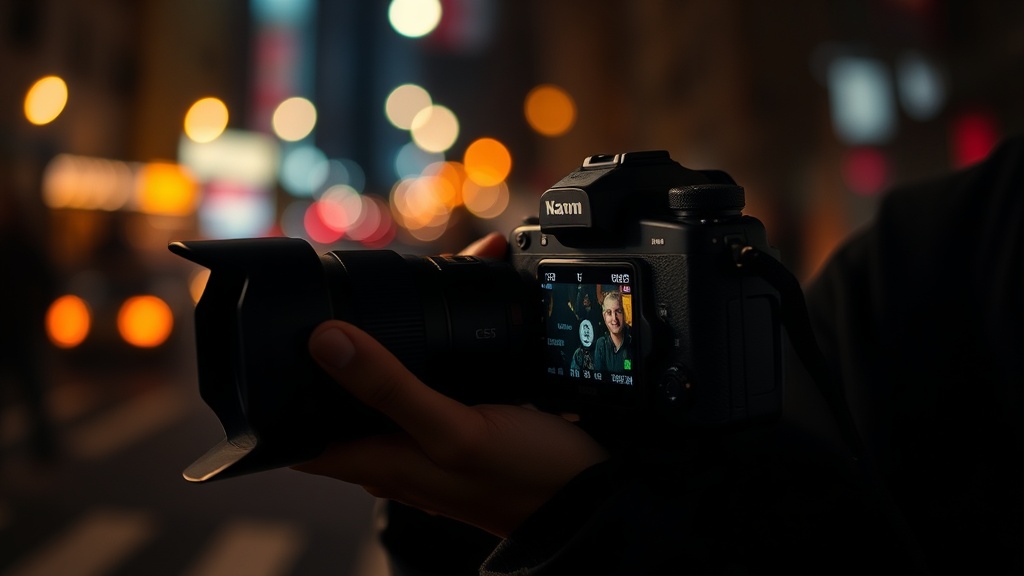
How to Capture Sharper Handheld Photos in Low Light

Low light photography doesn't have to mean blurry shots. This guide breaks down the techniques, camera settings, and gear choices that keep handheld photos tack-sharp when the sun goes down — whether you're shooting street scenes in Brooklyn at blue hour or capturing candid moments at a dimly lit venue.
Why Do Photos Turn Out Blurry in Low Light?
The short answer: camera shake and subject motion combined with slow shutter speeds. When light drops, cameras compensate by keeping the shutter open longer — sometimes for a half-second or more. Any movement during that window (from your hands, your subject, or both) creates blur.
Here's the thing — most photographers blame their gear. The truth? Technique beats equipment every time. A skilled shooter with an entry-level Sony A6000 can nail sharper shots than someone fumbling with a $4,000 Sony A7R V.
The physics are straightforward. A shutter speed of 1/15 second sounds fast — but it's five times slower than the 1/125 second most people need to freeze hand movement. Add a moving subject, and you're looking at motion blur even with perfect technique.
What's the Best Camera Setting for Low Light Handheld Shooting?
Prioritize shutter speed over everything else. Start with ISO 1600–3200 (modern cameras handle this cleanly), open the aperture as wide as the lens allows, and keep shutter speeds at 1/60 second minimum — ideally faster.
The exposure triangle isn't a suggestion — it's physics you can't negotiate with. In dark conditions, you must sacrifice something. Most pros choose higher ISO over slow shutter speeds. Why? Noise can be fixed in post. Motion blur cannot.
| Scenario | Aperture | Shutter Speed | ISO |
|---|---|---|---|
| Indoor ambient light (living room) | f/1.8–f/2.8 | 1/60–1/125 sec | 3200–6400 |
| City streets at dusk | f/2.0–f/2.8 | 1/60–1/125 sec | 1600–3200 |
| Concert venues, stage lighting | f/1.4–f/2.0 | 1/125–1/250 sec | 3200–12800 |
| Bar/restaurant interiors | f/1.8–f/2.8 | 1/60–1/100 sec | 3200–6400 |
That said — don't treat these as gospel. The Nikon Z6 III at ISO 12800 looks cleaner than a Canon Rebel T7 at ISO 3200. Know your sensor's limits through real-world testing, not spec sheets.
Can You Really Handhold at Slow Shutter Speeds?
Yes — with proper technique and realistic expectations. Most photographers can reliably handhold 1/15 second with practice. Some stabilize down to 1/4 second or slower using specific stances and breathing techniques.
The reciprocal rule (shutter speed = 1/focal length) is a starting point, not a ceiling. With a 50mm lens, conventional wisdom suggests 1/50 second minimum. But image stabilization — found in lenses like the Tamron 35-150mm f/2-2.8 Di III VXD or in-body systems in cameras like the Sony A7 IV — extends this dramatically. Five stops of stabilization turns 1/50 second into roughly 1.5 seconds.
The catch? Stabilization fixes camera shake, not subject motion. A portrait at 1/4 second looks razor-sharp — until your subject blinks. Street photography at slow speeds works only when subjects hold still.
Stance and Stability Techniques
Your body is a tripod — if you know how to use it.
- Elbows in: Tuck them against your ribs. Creates a triangle of stability with your torso.
- Breathe out: Press the shutter at the natural respiratory pause after exhaling — not during.
- Lean against something: Walls, doorframes, lampposts. Every point of contact adds stability.
- Kneel or sit: Lowering your center of gravity beats standing every time.
- Use the viewfinder: Holding the camera to your face creates three contact points (hands + face) versus two with an LCD screen.
Pro shooters on the streets of New York — where tripods draw security attention — rely on these techniques daily. The photographers at Magnum Photos built careers shooting available light without stabilization tech that modern cameras provide.
Which Lenses Work Best for Low Light?
Fast primes — f/1.4, f/1.8, f/2 — dominate low light work. The Sigma 35mm f/1.4 DG DN Art, Sony 85mm f/1.8, and Nikon Z 50mm f/1.8 S are staples for good reason. They gather more light and enable faster shutter speeds without extreme ISO boosts.
But fast glass isn't the whole story. The aperture you actually use matters more than the maximum on the spec sheet. Many f/1.4 lenses get soft wide open — the Sony FE 50mm f/1.2 GM sharpens up beautifully, but budget options like the nifty-fifty Canon EF 50mm f/1.8 STM need stopping down to f/2 or f/2.8 for critical sharpness.
Image stabilization in lenses changes the math. The Canon RF 24-70mm f/2.8 L IS USM adds up to 5 stops of stabilization. That translates to shooting at 1/4 second instead of 1/125 — the difference between ISO 6400 and ISO 200 for the same exposure.
Prime vs. Zoom for Low Light
| Factor | Prime Lens | Zoom Lens |
|---|---|---|
| Maximum aperture | f/0.95–f/1.8 (wider = more light) | f/2.8–f/4 (typically 2+ stops slower) |
| Sharpness wide open | Variable — some excellent, some soft | Generally sharper at equivalent apertures |
| Image stabilization | Rare in wide-angle primes | Common in modern professional zooms |
| Flexibility | Fixed focal length — you move | Range of focal lengths in one lens |
| Cost for quality | Lower — excellent f/1.8 primes under $500 | Higher — fast stabilized zooms start around $1,200 |
Worth noting — zooms have caught up. The Tamron 28-75mm f/2.8 Di III VXD G2 and Sigma 24-70mm f/2.8 DG DN Art are sharp enough wide open that many pros have abandoned primes for event work.
Does Autofocus Work in the Dark?
Modern cameras handle low light remarkably well — but there are limits. Contrast-detect autofocus (common in older mirrorless and most compact cameras) hunts aggressively in dim conditions. Phase-detect and hybrid systems in cameras like the Sony A7R V, Canon EOS R6 Mark II, and Nikon Z8 lock on reliably down to -6 EV or darker.
Back-button focus changes the game. Separating focus activation from the shutter button lets you acquire focus once, then shoot freely without the camera second-guessing between frames. Essential for concerts, candlelit dinners, any situation with flickering or changing light.
AF assist beams help — those red patterns projectors emit. But they're intrusive (subjects notice) and limited in range. Professional event photographers usually disable them. Instead, find high-contrast edges — eyes with catchlights, edges of faces against dark backgrounds — for the autofocus to grab.
Manual Focus in Low Light
Sometimes autofocus fails completely. Extremely dark venues, shooting through glass, scenes with foreground obstructions — the camera guesses wrong.
Manual focus isn't as slow as people think. Zone focusing — pre-focusing to a set distance (say, 8 feet) at f/5.6 or f/8 — keeps a zone of acceptably sharp focus. Street photographers have used this technique for decades. Henri Cartier-Bresson didn't have autofocus. Neither did the photographers who documented jazz clubs in the 1950s.
Focus peaking (available on most mirrorless cameras) highlights in-focus edges in real-time. Magnified focus assist lets you punch in and nail critical focus on eyes. Both work in near-total darkness where autofocus gives up.
What About Flash and Artificial Light?
On-camera flash destroys atmosphere. That flat, direct blast turns intimate scenes into DMV portraits. Off-camera flash — bounced, diffused, or creatively placed — solves this, but requires setup time and gear.
Here's the thing — sometimes you need it. Reception halls with black ceilings and walls that swallow ambient light. Dance floors where subjects move too fast for any shutter speed you'd handhold. In these cases, a Godox V1 or Profoto A10 with a small softbox or bounce card preserves some dimension while adding necessary light.
High-speed sync (HSS) opens creative possibilities. Standard flash sync caps at roughly 1/200–1/250 second. HSS lets you shoot at 1/1000 or faster — freezing motion while balancing flash with ambient background light. The trade-off? Significant power loss, requiring the flash closer to your subject or higher ISO.
Post-Processing for Sharpness
Capture sharpness matters most — but smart editing helps. Adobe Lightroom's Detail panel offers sharpening and masking tools that bring out micro-contrast without adding artifacts. The masking slider (Alt/Option-drag to visualize) restricts sharpening to edges, leaving smooth areas (skin, skies) untouched.
Noise reduction and sharpening compete with each other. Aggressive noise smoothing destroys fine detail that sharpening tries to restore. The balance depends on output size — social media images tolerate heavier processing than large prints.
Topaz Photo AI and DXO PureRaw apply AI-based sharpening and noise reduction that outperforms standard tools. Worth the cost for professionals processing hundreds of low-light images. For casual shooters, Lightroom and Capture One provide adequate tools.
Final thought: sharp photos start before you press the shutter. The best post-processing in the world can't resurrect an image blurred by camera shake at 1/8 second. Nail the shot in-camera. Everything else is fine-tuning.
Steps
- 1
Adopt a Stable Stance and Proper Grip
- 2
Master the Reciprocal Rule for Shutter Speed
- 3
Use Burst Mode and Controlled Breathing